
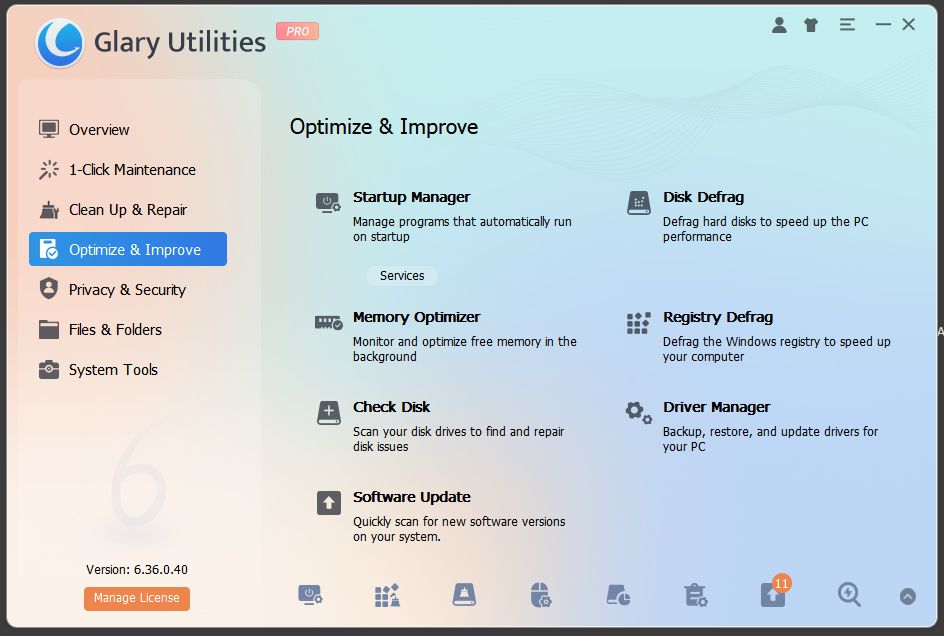
Glary Utilities has been around long enough to prove it’s not chasing trends—it’s solving real problems. This all-in-one Windows utility suite handles the unglamorous work of keeping a PC running smoothly: registry cleanup, disk optimization, startup management, and privacy protection. It’s not flashy, but it’s thorough.
The interface is straightforward and organized into clear categories—Cleanup, Optimization, Privacy, and Files & Folders. One-Click Maintenance scans for common issues and handles them in a single pass, which is genuinely useful for routine upkeep. More experienced users can dig into individual modules like the registry cleaner, duplicate file finder, or uninstaller without wading through clutter.
Performance is solid. Cleanup operations are quick, and the disk defragmenter works efficiently without unnecessary bells and whistles. The startup manager gives you real control over what launches with Windows, and the privacy tools effectively wipe browsing history and temp files across multiple browsers.
The free version covers most bases, though the Pro upgrade ($40/year) adds automatic maintenance scheduling, real-time optimization, and priority support. It’s a fair trade if you want set-it-and-forget-it functionality.
Minor gripes: the interface feels dated compared to newer tools, and some features (like the file shredder) are standard fare at this point. But Glary Utilities doesn’t pretend to be revolutionary—it’s a workhorse that does what it promises without drama.
Bottom line: If you need a dependable, comprehensive toolkit for Windows maintenance and aren’t fussed about modern UI design, Glary Utilities delivers. It’s the kind of software that just works, which is exactly what system utilities should do.
Rating: 4/5 – Recommended for users who value function over form.